



QUICK ANSWER:
An interactive digital signage kiosk lets customers browse, order, or search content themselves by touch, while standard digital signage displays fixed content that people simply view. Most South African businesses need both: passive screens for promotions and menus, and self-service kiosks for ordering, product lookups, and other customer-led tasks.
Walk into most South African retail stores, restaurants, or car showrooms today and you’ll spot a screen somewhere. Some of those screens play a fixed loop of promotions or a menu board. Others wait for a tap. Knowing which one your business actually needs, or whether you need both, comes down to a simple question: do you want to control the message, or do you want your customer to?
That question sits behind every “digital signage kiosk” search South Africans run. This guide breaks down the difference between an interactive digital signage kiosk and standard digital signage, where each one earns its place, what drives the cost, and how to decide without guessing.
What’s the Difference: Interactive Kiosk vs Standard Signage
Digital signage and interactive kiosks both put content on a screen. That’s where the similarity ends.
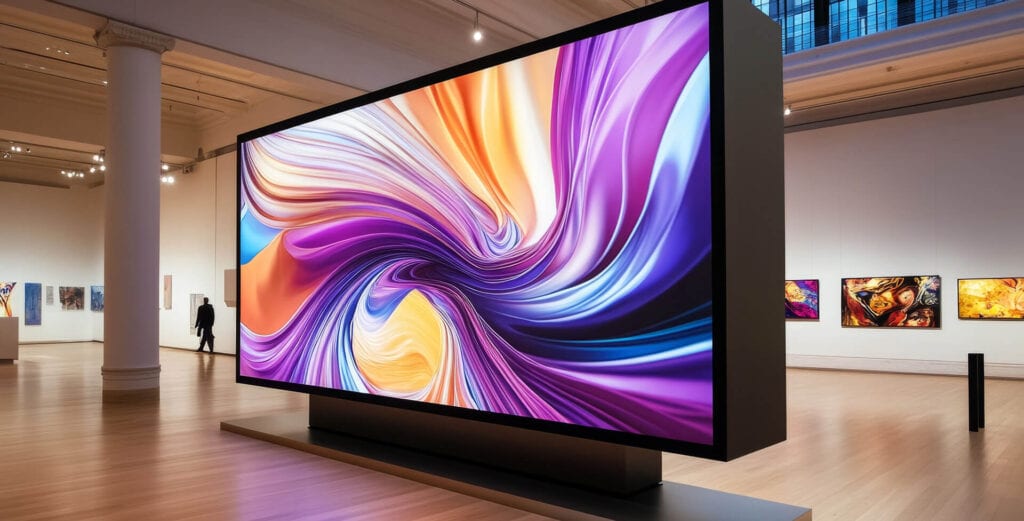
Standard digital signage, screens like video walls, digital menu boards, and digital shelf displays, plays scheduled content on a loop. Promotions, menus, brand messaging: customers view it, they don’t touch it. It’s built for one-way communication at scale, and DMX’s Digital Signage solutions cover the full range, from A-frames to outdoor screens to video walls.
An interactive digital signage kiosk flips that around. The customer taps, browses, and chooses what appears on screen. They might search a product catalogue, check stock, or vote for the next song on the in-store playlist. It’s a conversation, not a broadcast.
Here’s the part that matters for planning: you don’t have to pick one system for passive screens and another for interactive kiosks. Both formats run on DMX’s Harmony content management platform, so content, scheduling, and reporting stay in one place, whatever the screen type. We’ve covered the customer-facing side of this in more detail in our piece on interactive displays, which looks at how touch content engages, informs, and entertains shoppers in-store.
Use Cases: Where Each One Works Best
Neither format is universally “better.” Each one solves a different problem, and the right answer usually depends on what you want the customer to do.
Standard digital signage wins when:
- You’re broadcasting the same message to everyone: a promotion, a menu, a brand story.
- You need to update content quickly across multiple screens or locations without touching the hardware.
- The goal is awareness or ambience, not a specific customer action.
An interactive digital signage kiosk wins when:

- Self-service ordering matters. Quick service restaurants and cafés use a digital signage display kiosk so customers can build and pay for an order without queuing at a till.
- Product browsing and catalogue search matter. Retail stores use free-standing kiosks so shoppers can check stock, sizes, or a fuller product range than fits on the shop floor.
- Showroom exploration matters. Automotive showrooms let customers browse vehicle specs and options on a kiosk while they wait for a consultant.
- Customer-driven entertainment matters. Retail and hospitality spaces let shoppers vote on background music or browse promotional content while they wait – the same “Engage” and “Entertain” use cases we cover in our interactive displays article.

Most businesses land somewhere in the middle: standard signage for the majority of screens, with one or two interactive kiosks placed where customers actually want to take an action.
Cost and Hardware Considerations
The right choice, or the right mix, usually comes down to a few practical factors.

- Footprint and orientation: free-standing kiosks need physical floor space and a stable base. Wall-mounted or shelf-edge displays fit tighter retail layouts.
- Touch hardware: a digital signage touch screen kiosk needs commercial-grade glass built to handle repeated daily use in high-traffic environments, not a consumer-grade panel. DMX’s Commercial Grade Screens range covers both the passive and touch-enabled hardware used across these deployments.
- Indoor vs outdoor placement: outdoor-rated hardware has to handle sun, dust, and weather. That adds to the specification, whether the screen is interactive or not.
- Content complexity: a kiosk built for browsing and search needs more setup in Harmony than a signage screen running a looping menu board.
None of this locks you into one format forever. Start with standard digital signage, add interactive kiosks later, and you won’t need to rebuild your content system from scratch, because both run on the same Harmony platform from day one.